Albania
 Argentina
 Australia
 Austria
 Belgium
 Bosnia and Herzegovina
 Brazil
 Bulgaria
 Canada
 Chile
Chile
 Colombia
 Croatia
 Czech Republic
 Denmark
 Estonia
 Finland
 France
 Germany
 Greece
 Hungary
 Ireland
 Italy
Italy
 Latvia
 Lithuania
 Luxembourg
 Mexico
 Moldova
 Montenegro
 Netherlands
 New Zealand
 North Macedonia
 Norway
 Philippines
 Poland
 Portugal
 Romania
 Serbia
 Slovakia
 Slovenia
 South Africa
 Spain
Spain
 Sweden
 Switzerland
 Turkey
 Ukraine
 United Kingdom
 United States of America



VST Instruments
A VST instrument is a software musical instrument that you run in a supported recording program or another host environment. It can emulate a piano, drums, strings or guitar, or create synthetic sounds without an acoustic counterpart. When choosing one, consider not only its tone but also the plug-in format, operating system, licensing and computer requirements. Eliminate incompatible products first. Only then does it make sense to listen to libraries and compare presets or editing options.
Which instrument is missing from your music?
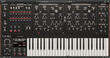
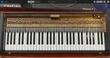
A synthesizer makes sense when you want to create sounds using oscillators, filters and modulation or work with ready-made presets. Sampled pianos, orchestras or drums are based on recorded samples and often require more storage and RAM. A modelled instrument may have a smaller library but place greater demands on processing power and offer a different degree of control over the sound. For live keyboard parts, responsiveness and control may be decisive, while a film arrangement may depend on the range of articulations. Computer performance always plays a role in the choice as well.
| Group | Use | What to prepare for |
|---|---|---|
| Synthesizers | Basses, pads, lead and experimental sounds | Programming parameters or sorting through numerous presets |
| Pianos and keyboard instruments | Piano parts, electric pianos and organs | Sample size, pedal functions and playing dynamics |
| Strings and winds | Orchestral layers, film music and arrangements | Articulations, switching playing techniques and working with dynamics |
| Drums | Acoustic kits, electronic rhythms and accompaniment creation | MIDI mapping, multiple outputs and working with tempo |
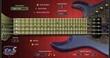
| Guitars and basses | Programmed lines without a physical instrument | Realistic phrasing, range and articulation control |
The plug-in format and host must work together
VST is the name of an interface, not a guarantee that a particular product will work in every program. Check the exact format version and architecture supported by your host, such as VST3; AU or AAX may also be available on some systems. A standalone application can run without a recording program, but it may not replace a plug-in within a project. Read the list of supported systems and hosts for the specific licence, not just for the product family.
Some products are standalone instruments, while others are sound libraries for a separate player. A library may require the full version of that player or work in the free edition only if it is licensed for it. Before buying, check the required host version, registration method and library location. This will prevent a situation where the sounds are installed but your player cannot load them fully.
Processor, memory and storage in a real project
A large sample library needs storage space and uses RAM when loaded. Complex synthesizers and modelled instruments can place a heavier load on the processor, especially with many voices or in a higher-quality mode. Compare the manufacturer's requirements with your computer and leave enough headroom for the recording program, effects and other tracks. Fast storage reduces loading times, but the exact benefit depends on the instrument and your workflow.
- Check the available space for the installer, library and temporary files.
- Find out whether the sound content can be stored on a different drive from the plug-in itself.
- When using a laptop, consider cooling noise and performance under sustained load.
- If you create large projects, check whether the program allows you to disable, freeze or render instrument tracks.
- Before a concert, test the same system, driver and audio interface away from your home internet connection.
Playing with a MIDI controller
You can program a VST instrument with a mouse, play it from a MIDI keyboard or control it using pads and other controls. Piano parts benefit from velocity sensitivity and a pedal, while drums benefit from the pad layout. Orchestral libraries often switch articulations using dedicated notes, controllers or automation. Before choosing, check whether the mapping can be adapted to your keyboard and whether you have enough keys for both playing and control.
Latency while playing
Responsiveness is not determined by the instrument alone. Audio buffer size, the interface driver, project load and computer performance also matter. When recording, choose a setting that allows comfortable playing without dropouts; when mixing, you may prioritise the stability of a larger project. If you need a suitable connection for your instrument and monitoring, see USB audio interfaces.
Presets speed up the start, editing creates your own result
Thousands of presets will not help if you cannot quickly find a usable sound among them while working. Searching by sound type, favourites and the option to save your own settings are more important. With a synthesizer, try to assess how clearly the modulation, filter and envelopes are presented. With a sampled instrument, listen to the transitions between dynamics and check how the articulations are controlled; a realistic result often requires work on note lengths, volume and phrasing.
Licence, activation and backup
A digital product may use a manufacturer account, licence key or separate activation manager. Check the number of permitted devices, whether the activation can be transferred and the terms for use on a new computer. If you want to use the instrument on stage without internet access, find out whether it works offline after activation. Back up installation files, licence details and your own presets separately from your projects.
An update may add support for a new system, but it can change compatibility with an old project. Before a major operating system update, check support for the host, plug-ins and audio interface driver. Archive the project in progress first, and consider rendering important tracks to audio. This will keep the music usable even if an older version of the instrument can no longer be loaded later.
How to build your first instrument collection
- List two or three types of sound that you genuinely need in your current tracks.
- Check what your recording program already includes.
- Choose one instrument for each missing role instead of several similar packages.
- Check compatibility, storage space, activation method and controls.
- Create a smaller collection of favourite presets and learn how to adapt them.
- Add a new instrument only when you can identify the gap it is meant to fill.
You can find an overview of plug-ins and production tools in the studio software category. Save the name of the version used in the project and, when collaborating, check whether the other person has the same instrument; otherwise, send a rendered audio track or MIDI together with an agreed audio reference. MIDI leaves you the option of making further edits, while the audio reference shows your collaborator how the part was intended to sound.