Albania
 Argentina
 Australia
 Austria
 Belgium
 Bosnia and Herzegovina
 Brazil
 Bulgaria
 Canada
 Chile
 Colombia
 Croatia
 Czech Republic
 Denmark
 Estonia
 Finland
 France
 Germany
 Greece
 Hungary
 Ireland
 Italy
 Latvia
 Lithuania
 Luxembourg
 Mexico
 Moldova
 Montenegro
 Netherlands
 New Zealand
 North Macedonia
 Norway
 Philippines
 Poland
 Portugal
 Romania
 Serbia
 Slovakia
 Slovenia
 South Africa
 Spain
 Sweden
 Switzerland
 Turkey
 Ukraine
 United Kingdom
 United States of America


Video/AV Mixers
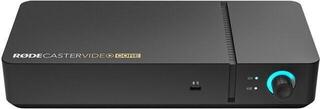
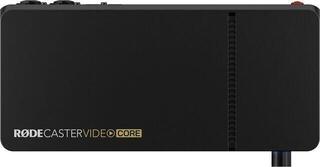
Video/AV mixers switch between pictures from multiple cameras and a computer during a live stream, concert, interview or presentation. Here you will find compact HDMI switchers Roland V-1HD and V-8HD, YoloBox devices that stream and record on their own, and the RODECaster Video production console for both picture and sound. They suit streamers, bands, schools and smaller studios that want to broadcast from more than one camera. Microphones, cameras and other broadcasting equipment are in the YouTube & Podcast & Stream category.
An HDMI switcher or a device that streams on its own?
A compact switcher, such as Roland V-1HD with four HDMI inputs or V-8HD with eight, selects which picture goes out and creates transitions between cameras. You send its final picture over HDMI to a computer or a device that handles the stream. YoloBox, Aten StreamLIVE HD and RODECaster Video combine switching, streaming and recording in one unit. YoloBox has its own touchscreen, with some models also offering a SIM card slot for mobile data and an SD card slot for recording; the YoloDeck controller adds buttons for quick scene switching. Choose a switcher if you already have a computer with streaming software, or a device with its own streaming function if you want to broadcast without one.
If you want to send video to a computer in the same way as a webcam, look for video output over USB, as found on Feelworld Livepro L1. A USB connector alone may only be for power or updates, so simply having one on the device is not enough.
How many inputs and what resolution do you need?
The number of HDMI inputs determines how many cameras and computers you can connect at once. Four inputs are enough for an interview or a concert from several angles, while eight are useful for a larger production. Full HD 1080p is the most common resolution in the range, and some devices support 4K. Set the cameras to the same resolution and frame rate supported by the switcher, and enable a clean HDMI output without icons and menus; otherwise, the camera controls will appear in the stream.
How do you get sound into the stream?
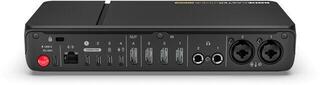
You can feed audio from a mixer or microphone into many video mixers through a 3.5 mm jack or RCA input, or it can travel with the picture over HDMI from the camera. RODECaster Video has its own audio inputs, so one console mixes both picture and sound. For an interview with several microphones, mixing the audio separately is more practical; that is what the Podcast mixers category is for.